Baptiste Noel
Growth and co-founder of Metrikia
- Master en neurosciences et neuropsychologies cliniques
- Master en entraînement et optimisation de la performance
- Créateur SaaS et de contenu, 20 000+ abonnés LinkedIn
Co-founder of Metrikia, Baptiste is building a SaaS from scratch and shares the growth journey unfiltered. A former clinical-neuroscience researcher and physical-performance coach, he built then left a coaching business generating over 70,000 EUR per month before focusing on product. He writes about growth strategy, acquisition and scaling.
LinkedInHow to Generate AI UGC Video Ads and Track Their Real ROI
The full tutorial to produce AI UGC video ads, launch and A/B test them on Meta, and decide what to scale on real revenue instead of platform ROAS.
With AI, producing a video ad costs almost nothing. Anyone can generate a hundred variants of a UGC creative in an afternoon. The bottleneck has moved: it is no longer production, it is selection. Knowing which of your creatives actually made money.
This guide builds the full chain, end to end, in a single interface: find an angle, generate a UGC video with a consistent presenter, launch Meta campaigns, and above all decide what to scale on real revenue, not on the metrics Meta grades itself on.
The stack is four blocks: an AI orchestrator agent (Claude Cowork or Claude Code), Higgsfield for video generation, Meta Ads for distribution, and Metrikia for the ROI truth that closes the loop.
On the menu:
- The creative pipeline from A to Z, in a single conversation.
- Create a reusable UGC presenter (with a concrete example) and generate your videos.
- Launch on Meta, A/B test the angles, human in the loop.
- The one step that truly makes money: deciding on real ROI.
- The zoomed-out strategy: a compounding flywheel.
The full loop: the four blocks
Four blocks connected in one conversation with the agent:
- Creative generation. Higgsfield and its 30+ video models (Seedance, Kling, Veo) produce the UGC clips.
- Distribution. Meta Ads creates, launches and scales the campaigns.
- ROI truth. Metrikia measures the real cross-channel revenue generated by each creative.
- Orchestrator. The AI agent (Cowork or Claude Code) drives the other three.

The point that makes all the difference, covered below: Metrikia decides which creative to scale, not the ROAS Meta shows.
The creative pipeline from A to Z
Before the technical settings, here is the full journey. Once your tools are connected to the agent, everything starts from a prompt and you only validate the key steps. The agent does the rest.

Concretely, you describe your offer and your ICP. The agent will scrape the best ads on the market (for example via Apify on the Meta Ad Library), extract the hooks and angles already working, then rewrite the copy for your brand and voice. Only then does it generate the avatar and launch production. You never start from a blank page: you start from what already converts, adapted to you.
Scraping competitor ads is done through a dedicated tool like Apify, plugged into the agent. This guide focuses on production and measurement; scraping is an input block you feed upstream.
Prerequisites
- A Higgsfield account with credits. A Plus plan is enough to start.
- An AI orchestrator agent: Claude (Cowork, no terminal, or Claude Code on the command line).
- A Meta Business account with an active ad account.
- For the Claude Code path only: Node.js installed.
Step 1: connect the tools to your agent
The principle is identical in both environments: you declare each service's address (an MCP connector), then authenticate once via the browser. No API key to manage.
The two addresses to connect: Higgsfield at https://mcp.higgsfield.ai/mcp, and Meta Ads at https://mcp.facebook.com/ads (Meta's official connector, free).
Cowork path (recommended, no terminal)
- Open Claude Cowork.
- Go to Settings, then Connectors, then Add MCP server.
- For Higgsfield: paste the URL, name the connector
higgsfield, click Connect, then authenticate (OAuth). - Repeat for Meta: name
meta-ads, Connect, log in to Meta Business and pick the ad account. - Check: ask the agent to list the available Higgsfield and Meta tools.
Technical box - Claude Code path (CLI) # Declare the two MCP connectors claude mcp add --transport http higgsfield https://mcp.higgsfield.ai/mcp claude mcp add --transport http meta-ads https://mcp.facebook.com/ads # Check, then authenticate each server with /mcp claude mcp list
Step 2: install the Higgsfield Skills (the quality layer)
Skills are marketing playbooks the agent loads to turn a vague instruction into a clean creative. That is the difference between a generic AI video and a usable ad.
Technical box - installing the Skills curl -fsSL https://raw.githubusercontent.com/higgsfield-ai/cli/main/install.sh | sh higgsfield auth login npx skills add higgsfield-ai/skills
Three main skills ship: image and video generation (with a Marketing Studio mode for UGC ads), consistent-character training, and professional product photography.
Step 3: create your presenter (the reusable UGC avatar)
A UGC ad relies on a person talking to camera. So that every video shows the same face, you create an avatar once from a clean, front-facing, well-lit reference photo. That photo locks the identity.
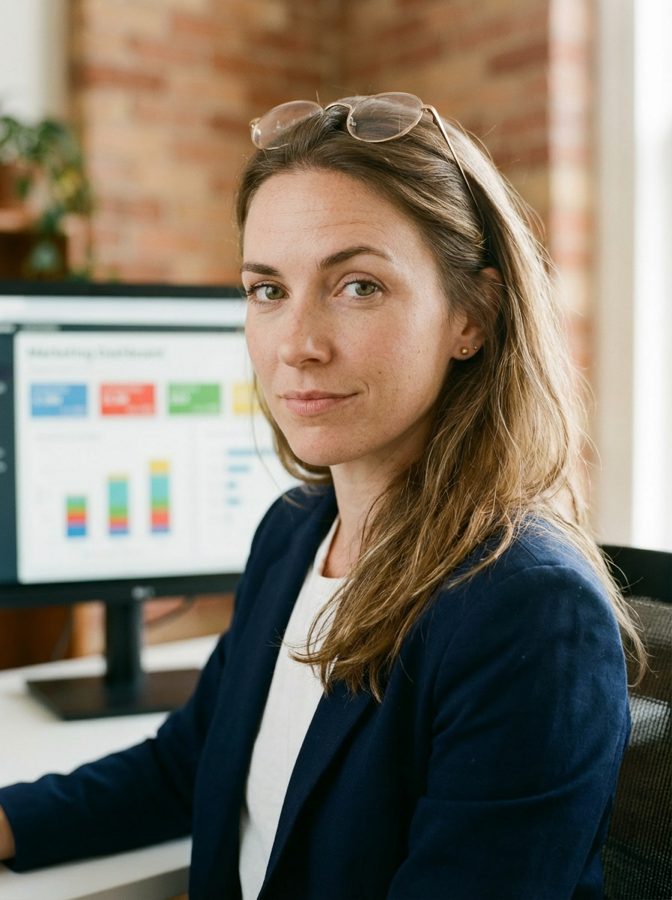
A concrete example. For Metrikia, we created Jessica, an AI presenter. A single reference photo locked her identity, then we reuse her across every scene. Here are two Higgsfield renders of the same avatar:

Technical box - creating the avatar in CLI # 1. Upload the reference photo ID=$(higgsfield upload create ./presenter-photo.png --json | jq -r .id) URL=$(higgsfield upload create ./presenter-photo.png --json | jq -r .url) # 2. Create the avatar (--image AND --image-url required together) higgsfield marketing-studio avatars create --name "Jessica" --image "$ID" --image-url "$URL" --pinned # -> returns an avatar_id, keep it and reuse it
Step 4: write the script and generate the video
The script
One idea per video. Short format, 15 seconds max. A structure that works: a strong hook in the first two seconds, tension, a concrete truth, a punchline. Write the way the person would talk, not like a press release.
Generate the video
The model to use is Marketing Studio Video in UGC mode. It combines the presenter avatar, the script and the generated audio, in vertical format. In Cowork, ask for a 15-second UGC video in 9:16 with your avatar_id, in 720p for a test, then 1080p for a creative you will run.

Technical box - generation in CLI higgsfield generate create marketing_studio_video \ --mode ugc --avatar_ids <AVATAR_ID> \ --prompt "<your spoken script>" \ --aspect_ratio 9:16 --resolution 720p \ --duration 15 --generate-audio true --wait
Discipline rule: always validate a first clip in 720p (identity, voice, lip sync) before spending on 1080p. Only creatives meant for distribution go to 1080p.
Step 5: launch on Meta
Recommended test structure: one campaign, one ad set per tested angle, identical budget per ad set, one video per ad set. Let Meta handle placements automatically (Advantage+).
Non-negotiable safety rules:
- Always launch in PAUSED status. The agent creates, you validate, you activate manually.
- Set an explicit budget cap in your instruction.
- Keep a human in the loop on every write action.
Example instruction: Create a Meta campaign TEST_ANGLES, Conversions objective, 5 ad sets (one per angle), budget 20 per day each, one video per ad set, PAUSED status. List everything before I validate.
A/B test the angles, and let Metrikia decide
Once the variants are live, you put them in competition. The trap: Meta's dashboard will crown a winner by its own ROAS. But that winner is not always the one filling the bank.

The rule is simple: the judge of the A/B test is not Meta's ROAS, it is the real revenue measured by Metrikia. That is what tells you which angle variant deserves the budget.
How to connect Metrikia. For this verdict to exist, Metrikia must see your real revenue. You connect it once: your sales (Shopify, Stripe or your CRM) and your ad accounts, through its connectors. It then reconciles every dollar collected with the creative that triggered it, without a line of code. This connection is what turns a vanity dashboard into a reliable decision.
Step 6: the one step that truly makes money
This is where most people lose money without knowing it, and where Metrikia enters the loop.
The problem: Meta's ROAS is judge and jury
Meta reports the ROAS it computes itself. It claims credit for every sale it can, even loosely. As a result, its dashboard inflates its winners and hides the real losers. If you scale a creative because Meta shows a 5 ROAS while real revenue does not follow, you are scaling a loss.

The truth layer: Metrikia
Metrikia measures the real revenue generated, across channels, beyond what Meta self-attributes. You finally see, for each creative and each angle, the incremental revenue actually produced.
The creative decision loop
Once your campaigns are live and the first data lands:
- Don't read Meta's ROAS to decide. Read the real revenue per creative in Metrikia.
- Kill the false winners: high Meta ROAS, low real revenue.
- Scale the true winners: those whose incremental revenue Metrikia confirms, budget up gradually with a cap.
- Extract the winning angle: the hook, the message, the format that actually worked.
- Reinject that angle into generation: new variants of the angle validated by truth, not by vanity.
Zoomed out, the method is a flywheel. Each turn tests a batch of creatives, measures the truth with Metrikia, reinjects the winning angles into generation, then retests. Selection improves on its own, turn after turn.

And the loop closes on its own: the MCP extracts the winning creatives' scripts in Claude, reruns A/B tests on their variations, and capitalizes on what works. Your bank of validated angles grows every cycle. Leverage is no longer in the volume you produce, but in the quality of your judgment about what pays.
The loop in a nutshell
- Connect Higgsfield and Meta to the agent (once).
- Feed the agent the best scraped ads (hooks, angles), then rewrite the copy.
- Create the presenter avatar (once, reusable).
- Generate the UGC clips (720p to test, 1080p for winners).
- Launch the Meta campaigns PAUSED, A/B test the angles.
- Measure the real revenue per creative with Metrikia.
- Kill the false winners, scale the true ones, reinject the winning angles.
FAQ
Do you need to code to do this? No. The Claude Cowork path runs entirely in natural language. The command line is only an alternative for technical profiles.
How does the agent find the right angles? By leaning on ads that already work. A scraping tool like Apify surfaces the best competitor creatives; the agent extracts their hooks and angles, then rewrites the copy for your brand.
How much does it cost? The main cost is Higgsfield. A 15-second UGC clip is about 75 credits in 720p and 150 in 1080p. The Meta connector is free. Distribution is your usual ad budget.
Does the avatar stay consistent from one video to the next? Yes, as the Jessica example shows. You create the avatar once from a reference photo, then reuse the same id.
Why not just trust Meta's ROAS? Because Meta is judge and jury. To decide what to scale, you need a real cross-channel revenue measure, independent from the platform.
Going further
This method only holds if the last block is solid: measuring real ROI. That is Metrikia's job, closing the loop by telling you, creative by creative, what actually paid.
To dig into the measurement behind this guide: why the ROAS Meta shows is wrong, building a complete attribution tracking system, and marketing mix modeling to measure without cookies.
See the real revenue of every creative with Metrikia →
About the author
Baptiste Noel, co-founder of Metrikia. MSc in Clinical Neuroscience and MSc in High Performance.